Skip to content
  • There are no suggestions because the search field is empty.

Update settings manually on your SCS 600 Controller

How to use the buttons on the front of the SCS 600 Refrigeration Controller to update certain settings such as temperature, setpoint, defrost, standby and lights.

About

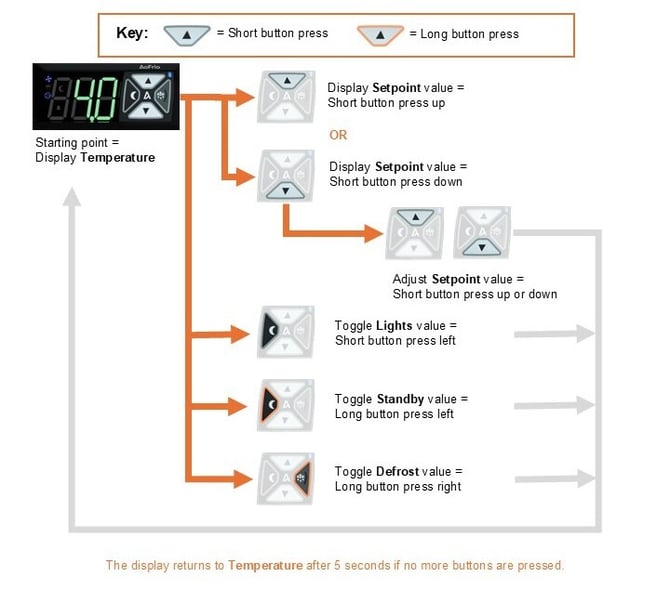
These are the essential SCS 600 Controller functions that can be controlled by using the buttons on the front panel without using AoFrio's Field app.

  • Manually toggle the Lights on and off.
  • Manually toggle Standby Mode on and off.
  • Manually initiate a Defrost.
  • Adjust the Setpoint Temperature within a predetermined range.

How it works
page19manual_withoutservicemodeApr2026_ENG

Interactive guide

Field Guide

Update Settings Manually

SCS 600 Controller

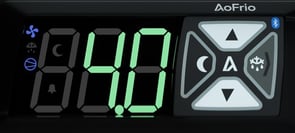
SCS Controller display showing temperature
Starting point: the display should read Temperature. Any change you make reverts to Temperature automatically after 5 seconds with no button presses.
WHAT DO YOU WANT TO DO?
SHORT PRESS
SCS Controller with Up button highlighted
STEP 1

Briefly press Up or Down to switch the display from Temperature to Setpoint.

SCS Controller with Up and Down buttons highlighted together
STEP 2

While Setpoint is showing, press Up or Down again to move it up or down within the allowed range.

Stop pressing buttons and the display returns to Temperature after 5 seconds, saving your new setpoint.


Related topics