
Before you start
- Make sure the COOLER OWNER has been set up to see the EDIT PARAMETERS option in the Field app menu.
- Read more detail about when to adjust alarm thresholds and Alarm logic for coolers with installed SCS Controllers.
Edit alarm settings
| Step | Details |
|
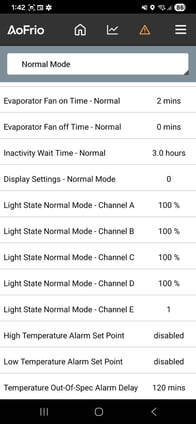
1 Connect to the SCS Controller with Field app and open the main menu. Tap EDIT PARAMETERS. 2 Tap the parameter category you want to view. NOTE: You may need to open several menu sections to find the alarm parameter you want to edit. For example you can find the "High Temperature Alarm Set Point" under the Normal Mode section, while "Terminal Alarm" parameters appear under the General Alarms section. 3 Tap an alarm parameter to open it for editing. |
 |
|
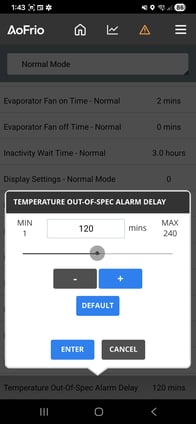
4 Update the parameter details and tap ENTER to confirm. |
|