
| Step | Details |
|
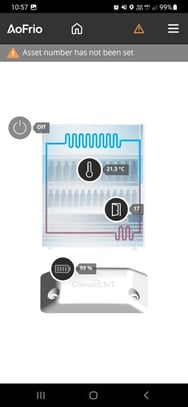
1. Open to Field app and connect to the Monitor. |
|
|
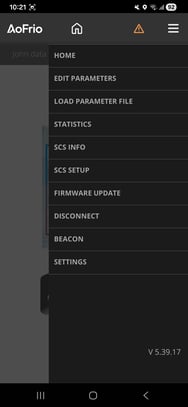
2. Open the main menu then tap SCS INFO. |
|
|
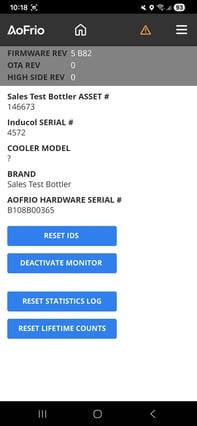
3. The current firmware version will be listed at the top of the page. |
|
| Step | Details |
|
1. Open to Field app and connect to the Monitor. |
|
|
2. Open the main menu then tap SCS INFO. |
|
|
3. The current firmware version will be listed at the top of the page. |
|