
Monitor activation prior to mounting
- Download the AoFrio Field app or Track app onto your mobile device.
- Activate your device.
- Match the app to your Monitor and set up ownership associations. More detail here.
- Place your mobile device directly on top of the Monitor (as pictured), until you see a message CONNECTING BXXXXXXXXX.
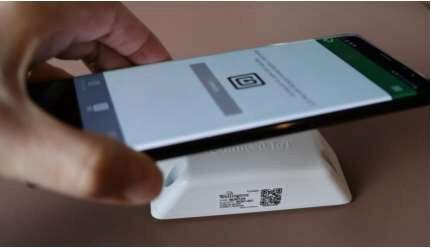
NOTE: If this process takes longer than five seconds, try slowly hovering your phone over the AoFrio Monitor to facilitate alignment of the NFC module on your device to the NFC antenna inside the Monitor.
Set up ownership associations and install address
Once you have activated the Monitor, you are ready to set up the ownership associations and install address using Field app. This information ensures that only authorised connections can be made to the device, and data collection is only possible by the assigned organisation.
The install address is essential for accurate geolocation tracking and a number of reporting filters.
| Step | Detail |
|
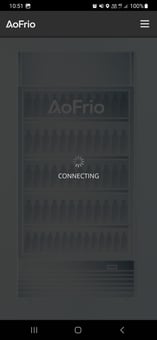
1 Log into Field app. You will need the activation code supplied by AoFrio to do this. Once you have logged in, Field app will look for nearby AoFrio devices. Wait until you can see a message stating "Connected to <MONITORIDCODE>". If more than one device appears, select the Monitor ID that matches the code under the QR code on the Monitor. |
 |
|
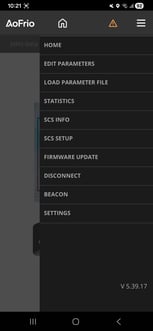
2 Tap on the menu icon and select SCS SETUP. |
 |
|
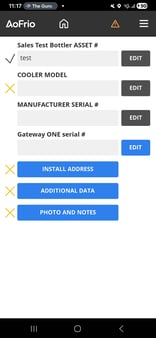
3 Select the Manufacturer name from the available list. Then select a cooler model, enter an:
Click OK to confirm at each stage to progress. NOTE – If you are setting up a trial product and there is no cooler list to choose from – you can add your own description for cooler model, as well as your own choice for asset # and serial #. Each field needs some information for the set up to complete. |
 |
Once you have updated the details you have completed installation and will see the configuration screen where you can begin making other adjustments.
Install the Monitor into the cooler
1 - Choose the mounting location.
-
-
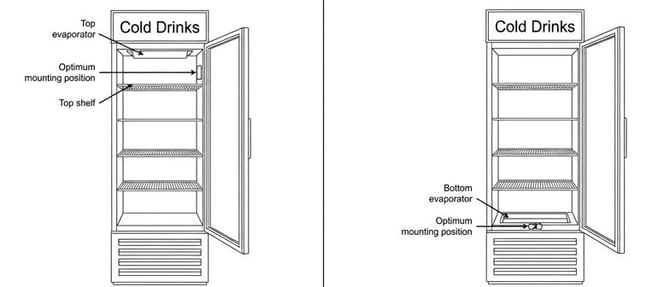
The optimum position depends on cooler type:
-
Option A (Left image below) : Coolers with evaporator on top of cabinet. Mount the AoFrio Monitor below the evaporator, close to the air return, preferably above the top shelf, or between the first and second shelves from the top.
-
Option B (Right image below) : Coolers with evaporator on bottom of cabinet. Mount the AoFrio Monitor near the evaporator inlet, preferably in front of it, especially for cassette-equipped coolers.
-
-
2 - Clean the mounting surface inside the cooler cabinet using an alcohol wipe and let it dry.
3 - Attach the Monitor to the cabinet with the side closer to the screw holes facing the door and the label facing away. This is critical to ensure door opening detection.
-
- The front face of the Monitor should be installed less than 70 mm (2.75”) from the point where the door seal touches the cabinet wall.
- This distance is important, as it ensures accurate door movement detection. If the device is placed too far from the door, door opening counts may not be accurate.
4 - Use the supplied tape to secure the Monitor parallel to the door and frame.
Next steps
Find out more about: